Dashboard
The Dashboard tab is your project's Project Intelligence view. It summarizes how ready your specifications are, how work is progressing in Azure Boards, and where the risks are.
Expect sparse or empty metrics until you complete Your First Feature or already have Boards work items and Spec Kit artifacts.
Use the Iteration selector for sprint-scoped metrics. Inner views: Overview, Spec Readiness, and Artifact Progress.
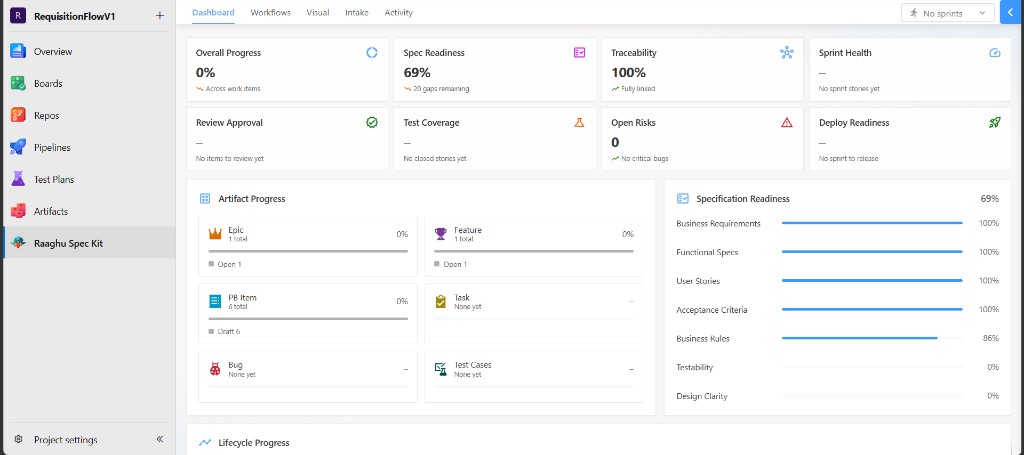
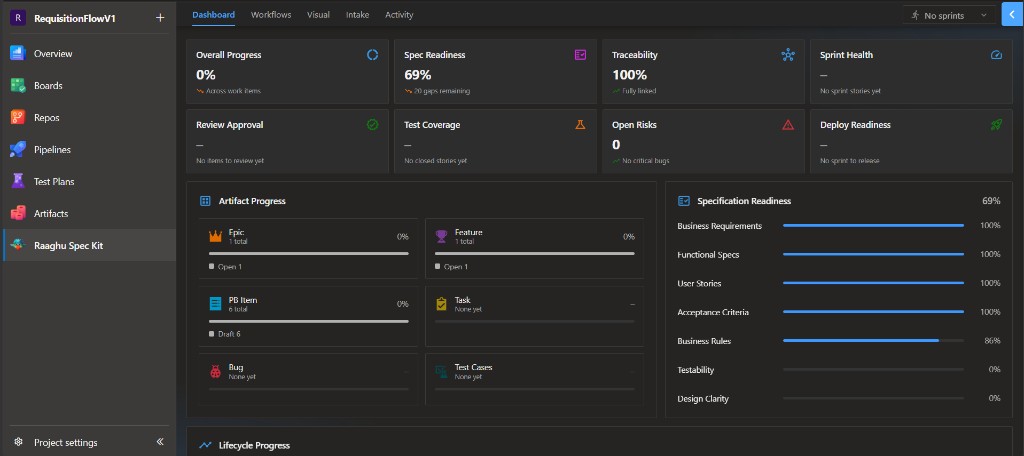
Overview
Eight KPI cards summarize the project. Click a card to open a drill-down list of work items.
| Card | What it shows |
|---|---|
| Overall Progress | Percentage of work completed across the project |
| Spec Readiness | How complete your specifications are |
| Traceability | How well work items are linked into the hierarchy |
| Sprint Health | Healthy, Watch, or At Risk for the selected sprint |
| Review Approval | Percentage of sprint delivery items that are approved or closed |
| Test Coverage | Closed user stories that have test cases linked |
| Open Risks | Open bugs and blocked stories |
| Deploy Readiness | How ready the sprint is to deploy |
Below the cards:
- Specification Readiness — seven dimensions (business requirements, functional specs, user stories, acceptance criteria, business rules, testability, design clarity).
- Lifecycle Progress — Requirements → Specs → Stories → Tasks → Tests → Release.
- Artifact Progress — progress across Azure DevOps work-item types.
Spec Readiness and Artifact Progress
- Spec Readiness — specification and story readiness panels, including ready / needs refinement / blocked stories.
- Artifact Progress — one card per work-item type (Epic, Feature, User Story, Task, Bug, Test Cases). Names follow your process template.
Drill-down and export
From a drill-down drawer you can open a work item in Azure DevOps, refine supported items with AI (magic-wand), or Export the list as CSV.