Troubleshooting
Use this page when something blocks you. Still stuck? Email support@raaghu.ai.
Access and authorization
Access request pending — "Request submitted. Retry authorization after admin approval"
Ask an org admin to approve you in Azure DevOps → Organization settings → Raaghu Spec Kit → Users → Pending requests, then click Authorize Now again. See Access Requests.
Access denied or approved but still blocked — Contact an org admin. If you were already approved, ask them to assign a seat next (Azure DevOps → Organization settings → Raaghu Spec Kit → Users).
Authorize fails / popup blocked — Allow popups for Azure DevOps, try another browser, and retry.
On-prem "Setup Required" — Complete Server Deployment Setup, then authorize. Cloud users should not see this.
On-prem email OTP — Enter your work email and the 6-digit code. See Installation and Launch.
Seats and subscription
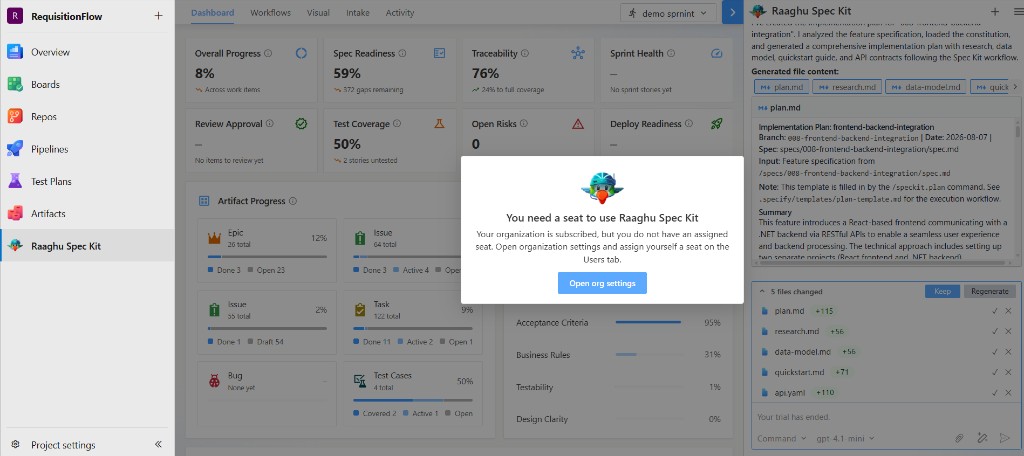
"You need a seat" / not subscribed / trial ended — Org admin opens Organization Settings, starts a free trial, completes checkout, or activates a license key, then assigns seats on Users.
Start Free Trial / Choose Your Plan not available — The free-trial plan picker is only shown to tenant admins when the organization is trial-eligible (typically a new org that has not already used a trial or held a prior license). Otherwise use Subscribe for $…/month or License Keys.
License key activation fails — Check for typos (RAAGHU-XXXX-XXXX-XXXX), confirm the key has not already been activated elsewhere, and that it is not expired or revoked. See License Keys.
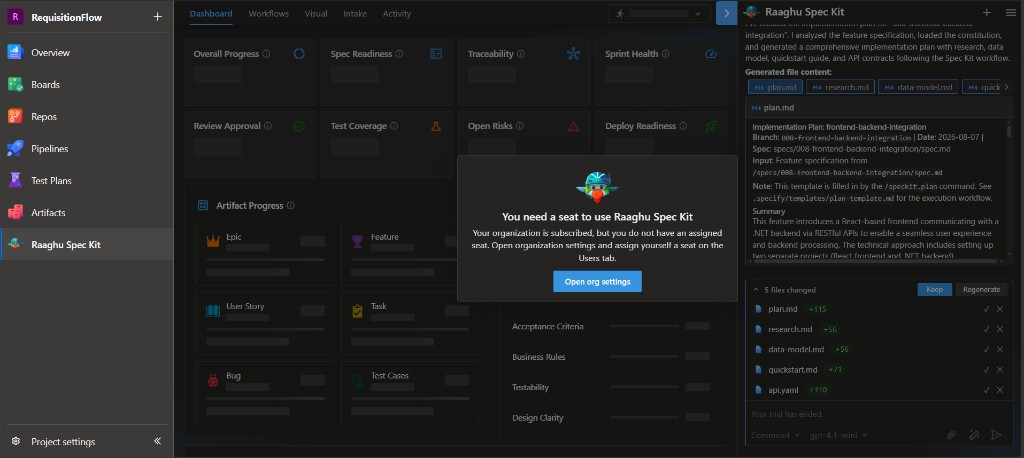
If the hub shows "You need a seat to use Raaghu Spec Kit" (subscribed but no assigned seat) or that the organization is not subscribed, click Open org settings (admins) or ask an admin to start a trial, subscribe, activate a key, and assign seats on Users:
Canceling / undo — On Subscription, use Undo cancellation or Undo seat change while a change is still pending.
AI and chat
LLM not configured — Hamburger → Settings → LLM Settings. Turn Project LLM On and add BYOK credentials, or ask an admin to assign org connections / enable Use Raaghu AI under Organization settings → Raaghu Spec Kit → Configurations and top up credits. See Settings.
Hosted balance empty — Admin tops up on Organization Settings → Subscription → Top up Credits.
Unexpected command names — Check Settings → Commands Mapping (Default vs Spec Kit). Friendly names such as "Create Specification" are the same as /speckit.specify. See Spec Kit Commands.
Provider / rate limit errors — Wait and retry; check provider quota or credit balance.
Initialize and Wiki
Initialize fails — Confirm project Wiki access, wiki write permission, and network access to GitHub.com. See Initialize Spec Kit.
Cannot find Speckit files — Look for the Speckit root in Wiki. If missing, initialize again.
Dashboard and Visual
Empty Dashboard — Select the correct iteration. Complete Your First Feature so artifacts exist.
Visual Sync disabled — Confirm constitution/spec/tasks exist, AI is configured, and you have work-item create permission. Sync one level at a time. See Visual.