Troubleshooting
Use this page when something blocks you. Still stuck? Email support@raaghu.ai.
Access and authorization
Access request pending — "Request submitted. Retry authorization after admin approval"
Ask an org admin to approve you in Azure DevOps → Organization settings → Raaghu Spec Kit → Users → Pending requests, then click Authorize Now again. See Access Requests.
Access denied or approved but still blocked — Contact an org admin. If you were already approved, ask them to assign a seat next (Azure DevOps → Organization settings → Raaghu Spec Kit → Users).
Authorize fails / popup blocked — Allow popups for Azure DevOps, try another browser, and retry.
On-prem "Setup Required" — Complete Server Deployment Setup, then authorize. Cloud users should not see this.
On-prem email OTP — Enter your work email and the 6-digit code. See Installation and Launch.
Seats and subscription
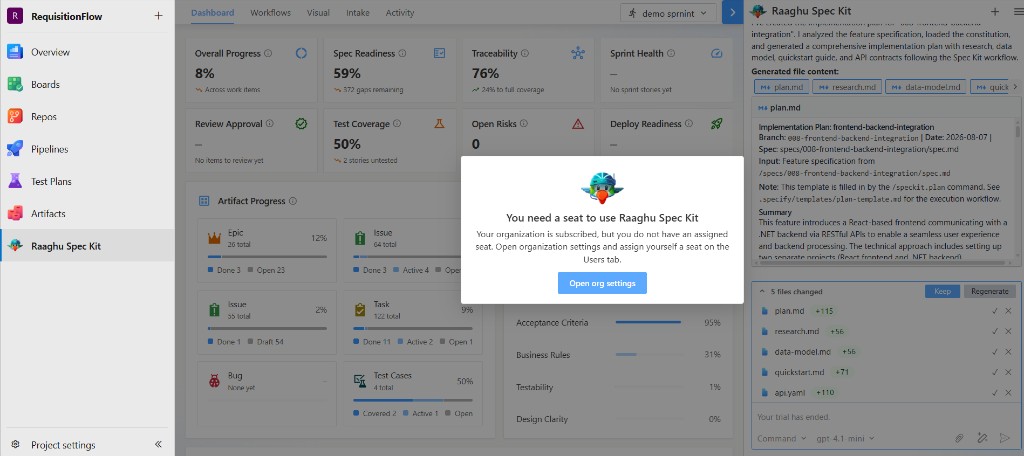
"You need a seat" / not subscribed / trial ended — Org admin opens Organization Settings, starts a free trial, completes checkout, or activates a license key, then assigns seats on Users.
Start Free Trial / Choose Your Plan not available — The free-trial plan picker is only shown to tenant admins when the organization is trial-eligible (typically a new org that has not already used a trial or held a prior license). Otherwise use Subscribe for $…/month or License Keys.
License key activation fails — Check for typos (RAAGHU-XXXX-XXXX-XXXX), confirm the key has not already been activated elsewhere, and that it is not expired or revoked. See License Keys.
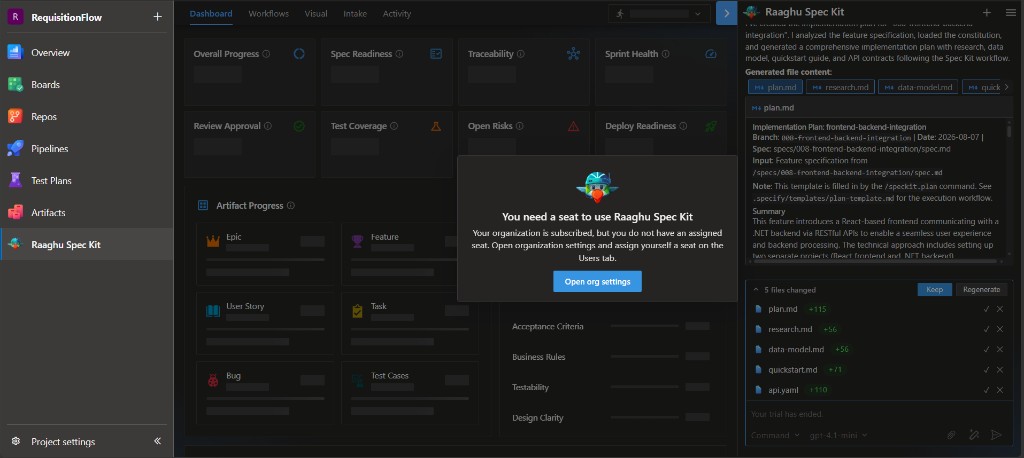
If the hub shows "You need a seat to use Raaghu Spec Kit" (subscribed but no assigned seat) or that the organization is not subscribed, click Open org settings (admins) or ask an admin to start a trial, subscribe, activate a key, and assign seats on Users:
Canceling / undo — On Subscription, use Undo cancellation or Undo seat change while a change is still pending.
AI and chat
Settings missing from the hamburger menu — Only organization admins (Project Collection Administrators) and Project Administrators for the current Azure DevOps project see Settings. Ask one of them to configure LLM Settings, or ask an org admin to assign org connections under Configurations. See Settings.
LLM not configured — An org or project admin opens hamburger → Settings → LLM Settings, turns Project LLM On and adds BYOK credentials, or an org admin assigns org connections / enables Use Raaghu AI under Organization settings → Raaghu Spec Kit → Configurations and tops up credits. See Settings.
Hosted balance empty / need more Raaghu AI credits — Organization admin tops up on Organization Settings → Subscription → Top up Credits (or Raaghu AI Credits). End users see guidance under My Usage.
Unexpected command names — An admin checks Settings → Commands Mapping (Default vs Spec Kit). Friendly names such as "Create Specification" are the same as /speckit.specify. See Spec Kit Commands.
Provider / rate limit errors — Wait and retry; check provider quota or credit balance.
Intake or chat stopped mid-run — Use Retry on the interrupted message. For Intake, retry reuses the same files when content was already extracted. See Intake and Chat.
Initialize and Wiki
Initialize fails — Confirm project Wiki access, wiki write permission, and network access to GitHub.com. See Initialize Spec Kit.
Cannot find Speckit files — Look for the Speckit root in Wiki. If missing, initialize again.
Dashboard and Visual
Empty Dashboard — Select the correct iteration. Complete Your First Feature so artifacts exist.
Visual Sync disabled — Confirm constitution/spec/tasks exist, AI is configured, and you have work-item create permission. Sync one level at a time. See Visual.