Workflows
The Workflows tab is a catalog of guided capability cards. Selecting a card starts a conversation in chat that gathers what it needs and produces a wiki document, Boards items, or a report.
Workflows use the same engine as /speckit.* commands, but lead you through the steps. Example: Governance → Create project foundation from constitution opens chat and walks you through building a foundation document from your constitution.
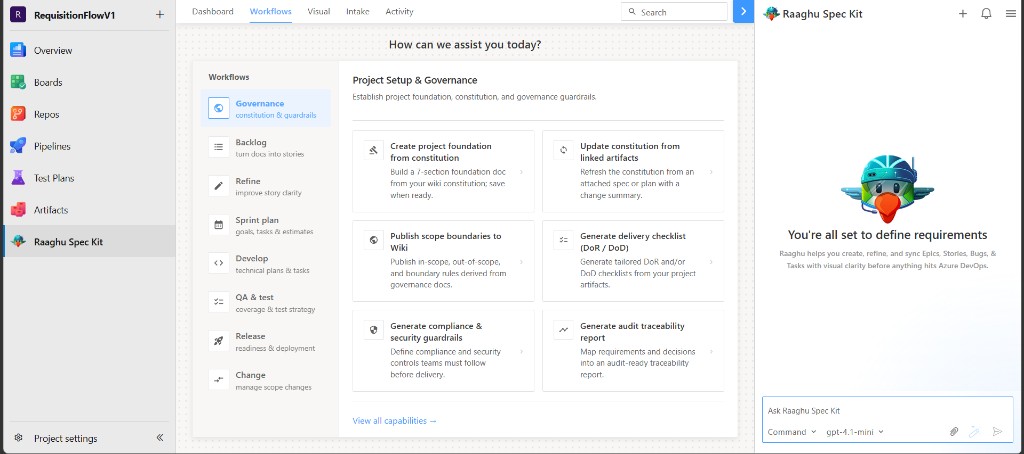
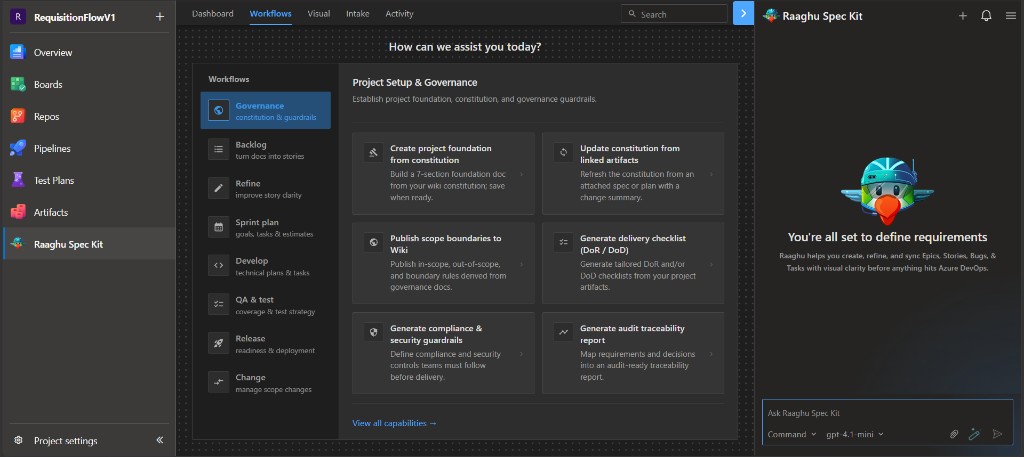
Workflow phases
| Phase | Purpose |
|---|---|
| Governance | Project foundation, constitution, and guardrails |
| Backlog | Epics, features, and stories from linked artifacts |
| Refine | Story quality and acceptance criteria |
| Sprint plan | Sprint goals, tasks, and readiness |
| Develop | Plans, tasks, and progress |
| QA & test | Test strategy and validation |
| Release | CI/CD checklists, gates, and runbooks |
| Change | Scope control and approvals |
Use View all capabilities to see every card at once.
Some backlog or refine cards expect existing wiki artifacts or Boards items. If a capability asks for a feature or document you do not have yet, generate it with Spec Kit Commands or Intake first.
How a capability runs
- Click a capability card.
- Answer the prompts in chat.
- Review the output (wiki save, Boards create/update, or report).
Requires Initialize Spec Kit and a connected AI provider in Settings.