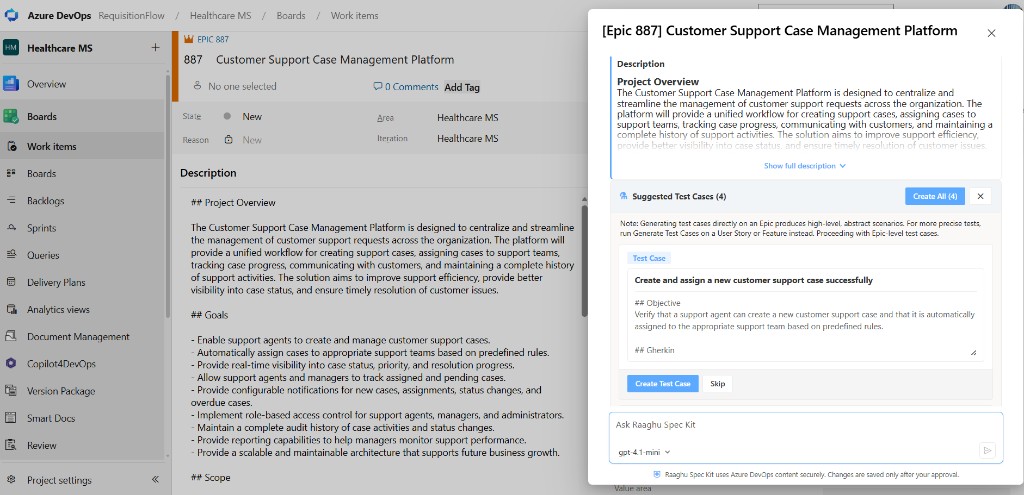
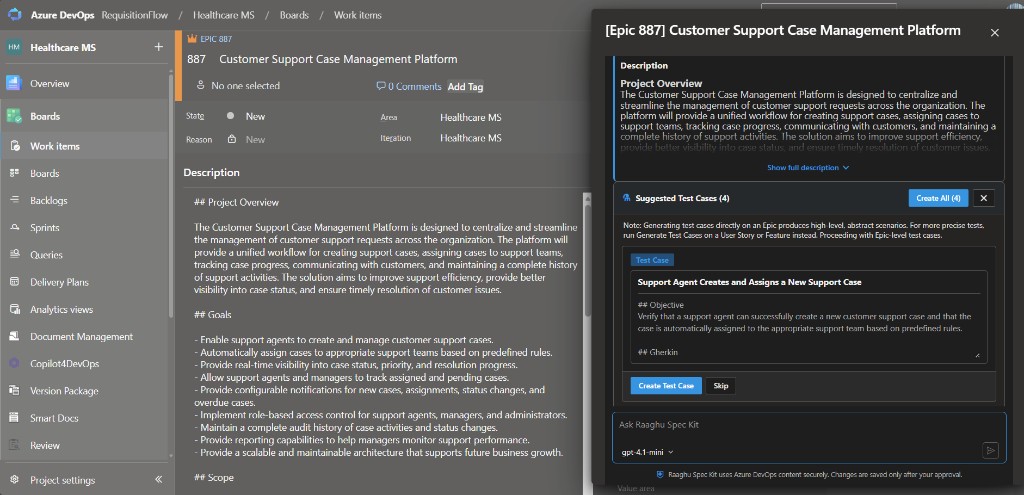
Context Menu
From Azure Boards or Queries, use the Spec Kit Context Menu on a work item — open the work-item menu, choose Raaghu, then run AI actions to chat, review readiness, refine the description or acceptance criteria, or generate child items and test cases — without leaving the board.
You need a Spec Kit seat and a connected AI provider. See Installation and Settings.
Open the Context Menu
- On a backlog, board, or query result, open the work-item context menu (right-click or …).
- Choose Raaghu.
- Pick an action. Spec Kit opens a side panel for that work item.
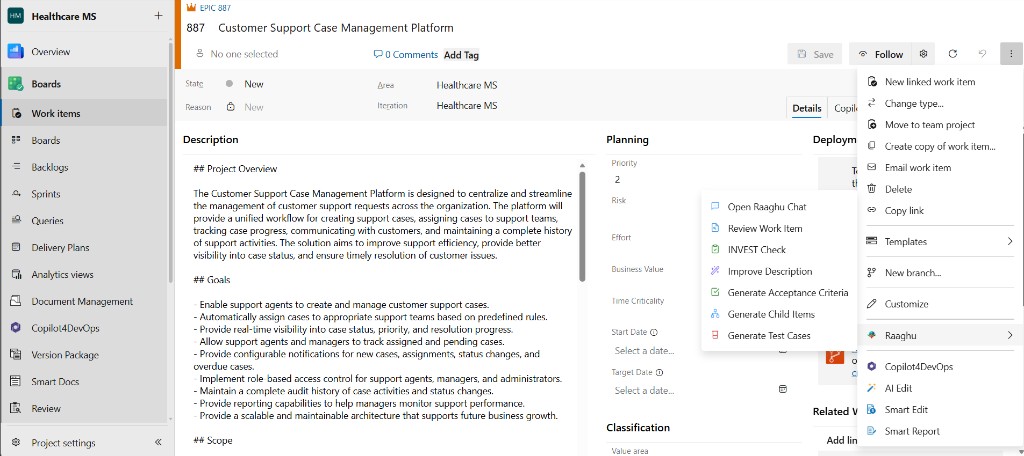
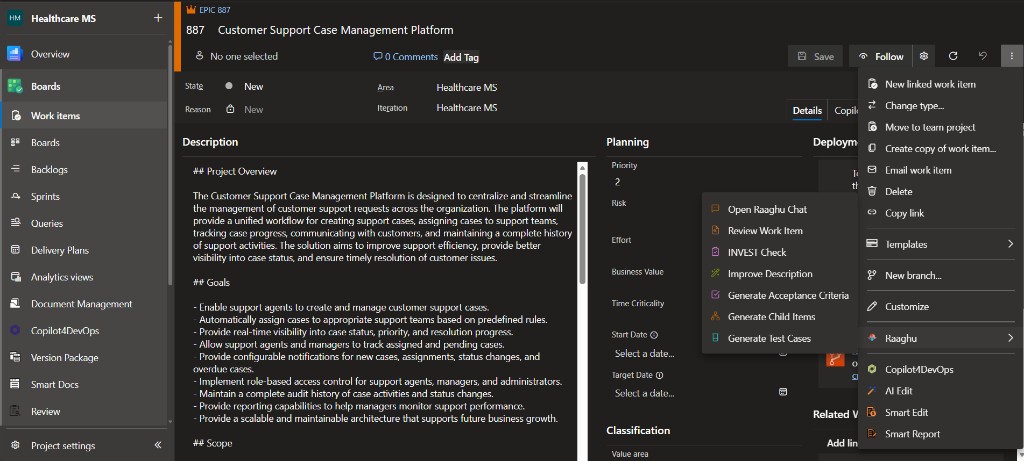
Actions
| Action | What it does |
|---|---|
| Open Raaghu Chat | Opens the panel so you can ask questions. Nothing is written to Azure DevOps until you save a draft or create items. |
| Review Work Item | Read-only readiness report (summary, gaps, risks, verdict, next steps). Optionally Apply fixes as draft. |
| INVEST Check | Type-aware INVEST score (adapted for Epic, Feature, User Story, and other types). Optionally apply priority fixes as a draft, or tag the INVEST score on the work item. |
| Improve Description | Rewrites wording and structure into a reviewable draft. Preserves meaning and does not invent new scope. You can also improve the title. |
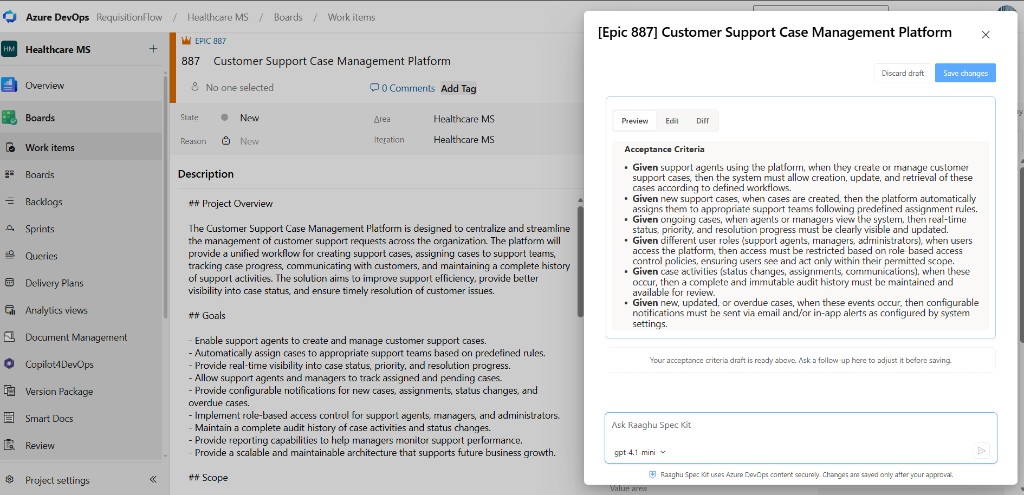
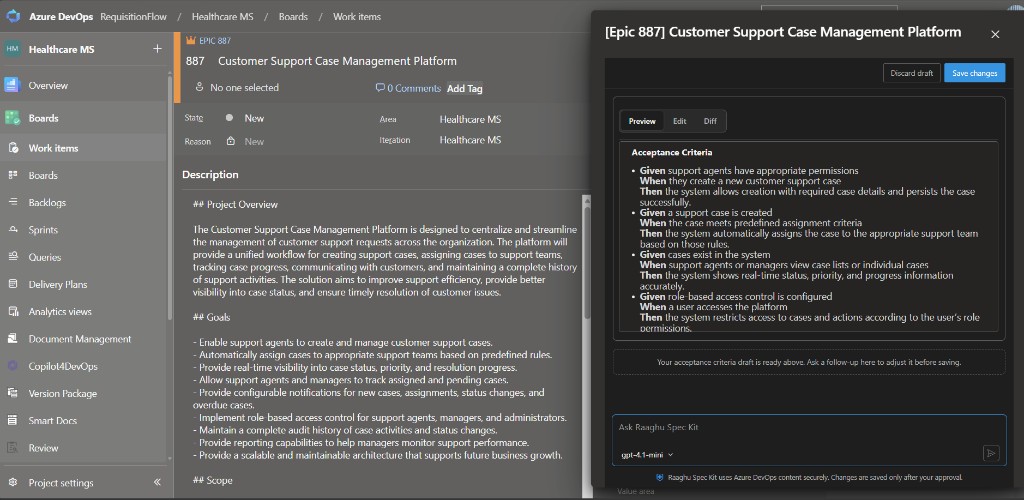
| Generate Acceptance Criteria | Drafts testable acceptance criteria while keeping the existing description. Review, then Save changes. |
| Generate Child Items | Suggests next-level children for your process template. Edit, create, or skip each card. |
| Generate Test Cases | Suggests Gherkin or step-based test cases. Review and create linked Test Cases in Azure DevOps. |
Batch: With multiple work items selected, Review Work Item, INVEST Check, and Generate Acceptance Criteria can run across the selection. Other actions use the primary selected item.
Work-item panel
The panel shows the current work item (type and state), quick-action chips, and the conversation. Refine actions open a draft with Preview, Edit, and Diff. Nothing is saved to Azure DevOps until you confirm.
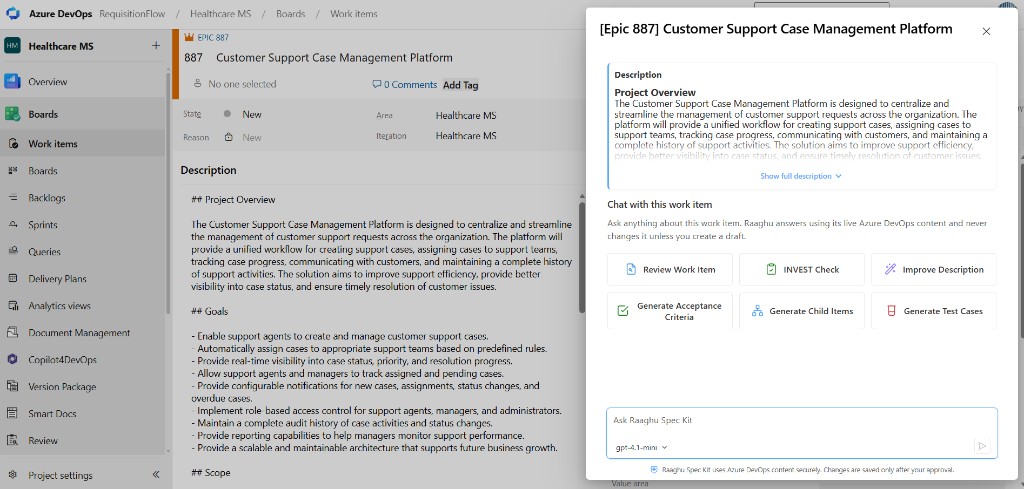
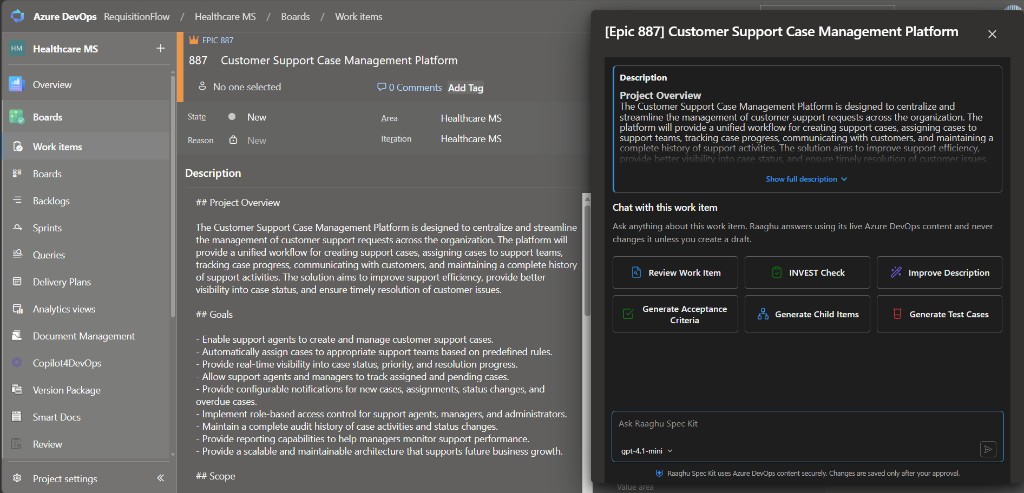
Generate Acceptance Criteria
- From the Context Menu (or a quick action in the panel), choose Generate Acceptance Criteria.
- Review the proposed acceptance criteria draft (description stays intact).
- Edit if needed, then Save changes to write them back to the work item.
Generate Test Cases or Child Items
- Run Generate Test Cases or Generate Child Items.
- Review each suggested card — edit title/body, Create, Skip, or undo a skip.
- Created items open in Azure DevOps; the panel closes when the list is finished unless you keep interacting with it.